

Navigate any page
Keep your place.
Find what matters.
Crumbs turns page headings and ChatGPT conversations into focused outlines, and gives standalone Markdown and JSON a clean, browseable view—entirely local and private.
Free for Chrome.
Available now on the Chrome Web Store.
Made for your reading flow
Less hunting.
More understanding.
Move through dense pages with a compact set of tools that stay out of the way until you need them.
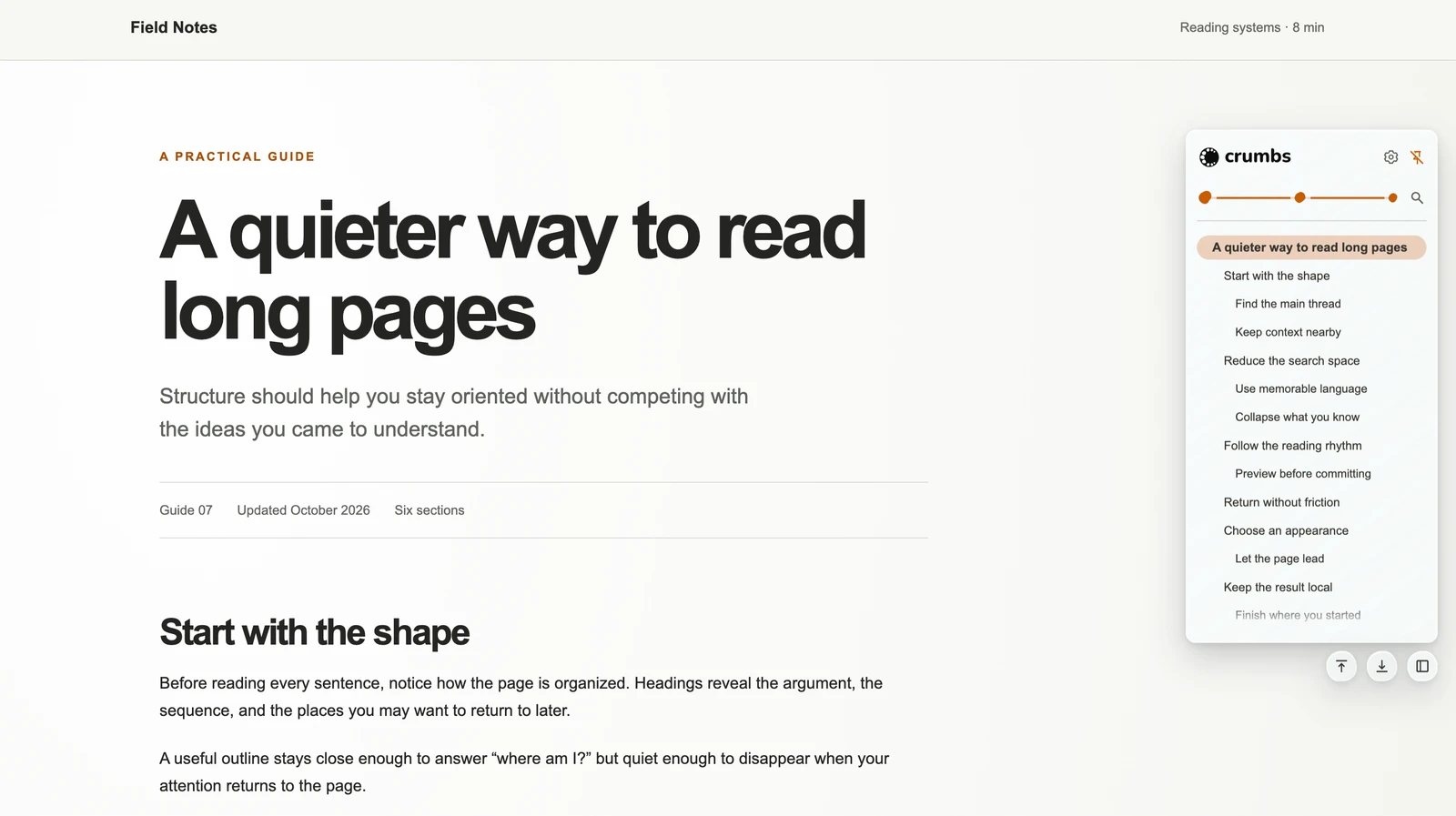
01Navigate long pages
A living outline that knows when to get out of the way.
Crumbs turns meaningful headings into a compact hierarchy, follows your current section, and folds back into a narrow rail whenever it is not hovered or pinned.
- Move with the document.Click a heading to scroll smoothly to it and briefly highlight the destination on the page.
- Preview without losing your flow.Hold Shift and hover over headings to move between sections quickly, without changing the URL or adding a page highlight.
- Collapse nested groups.Fold finished branches away, then reveal them again when you need their detail.
- Copy a link to the exact section.Crumbs reuses a stable page anchor when one exists and can create a text-fragment link like Chrome's Copy link to highlight.
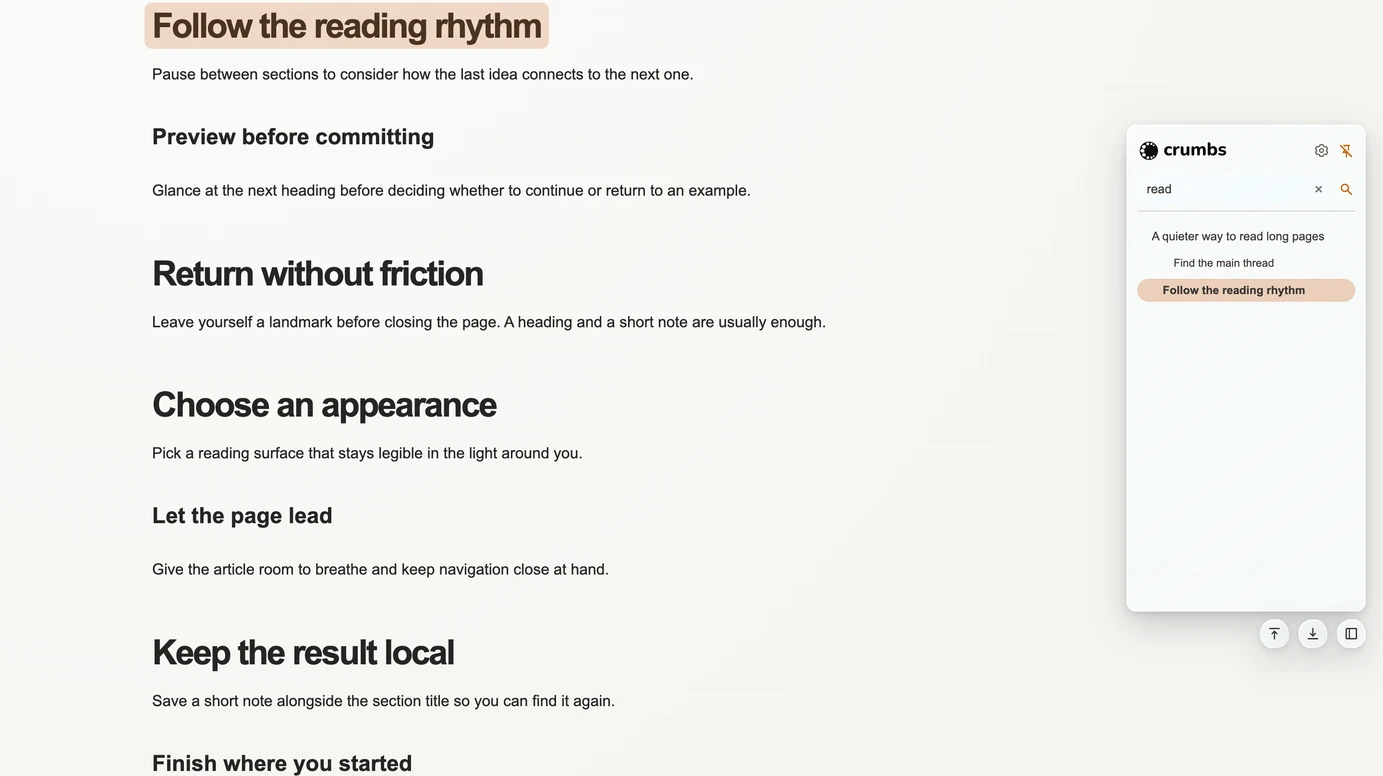
- Search, then choose a depth.Filter headings by text or show only levels through H1, H2, H3, and beyond. Hover a truncated heading to see its complete text in a tooltip.
02ChatGPT conversation outline
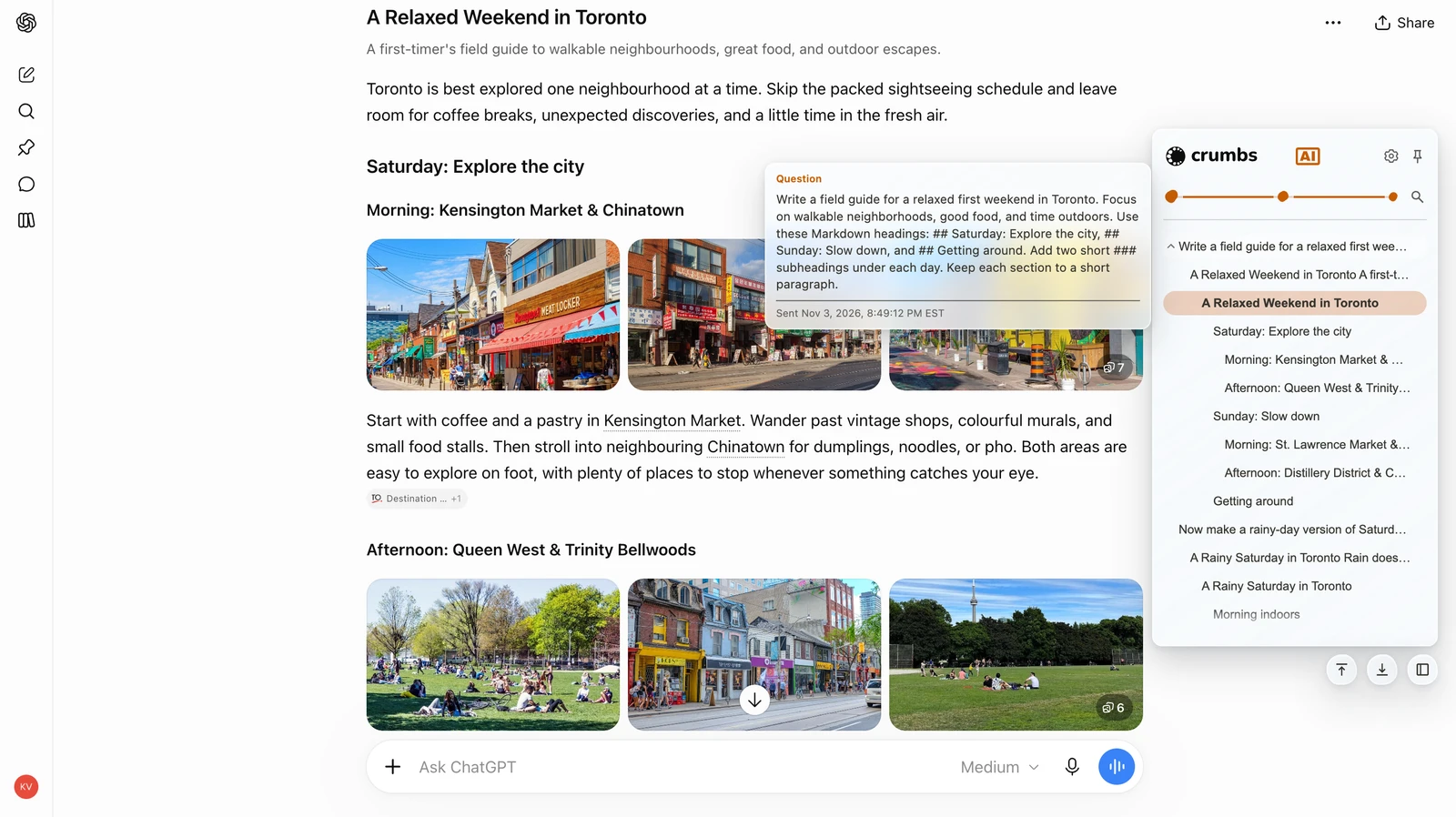
Follow the conversation.
Jump between your questions, answers, and headings inside long ChatGPT conversations—without losing your place.
- Find the exchange you need. Move directly to a question or answer instead of scrolling back through the conversation.
- Explore an answer’s structure. Expand its headings to reach the part you want to revisit.
- Keep time in view. Show optional question timestamps, with approximate times remembered locally when enabled.
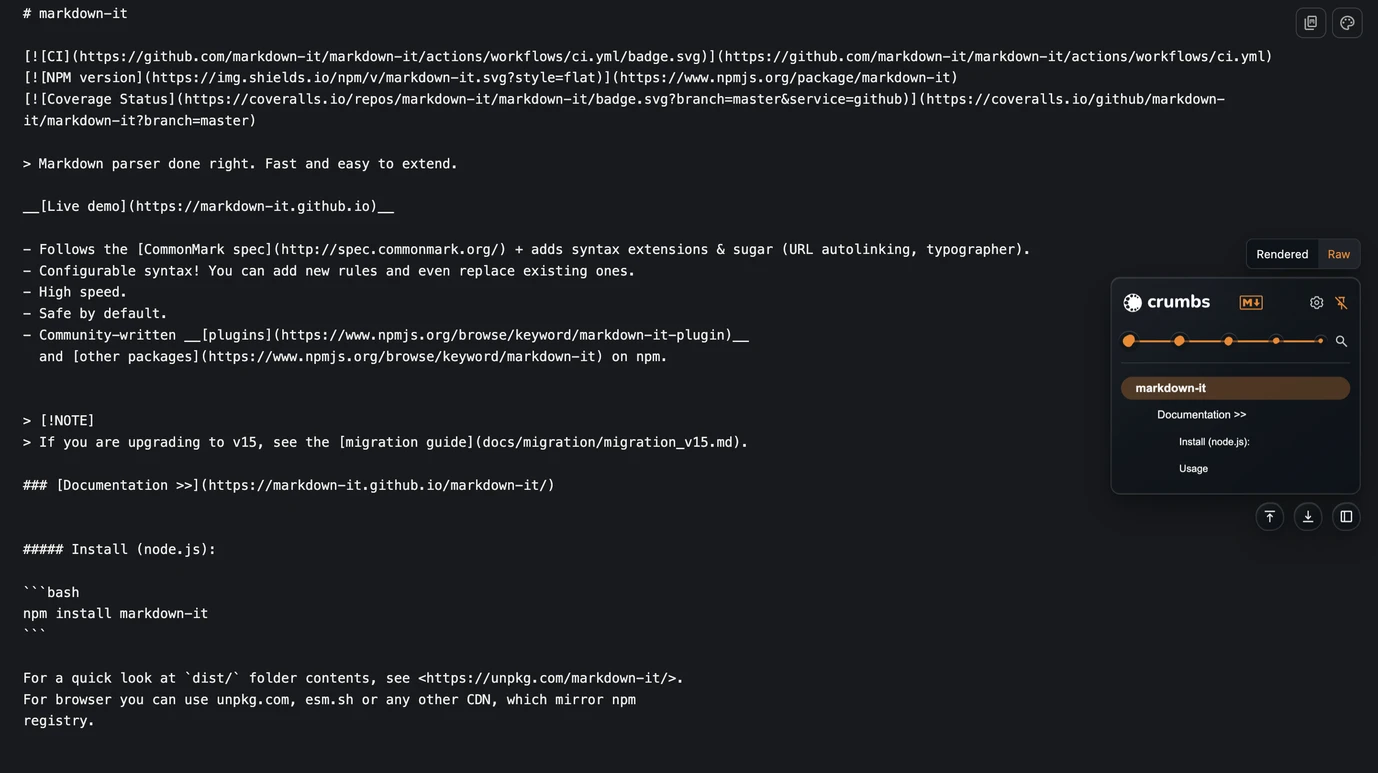
03Read Markdown
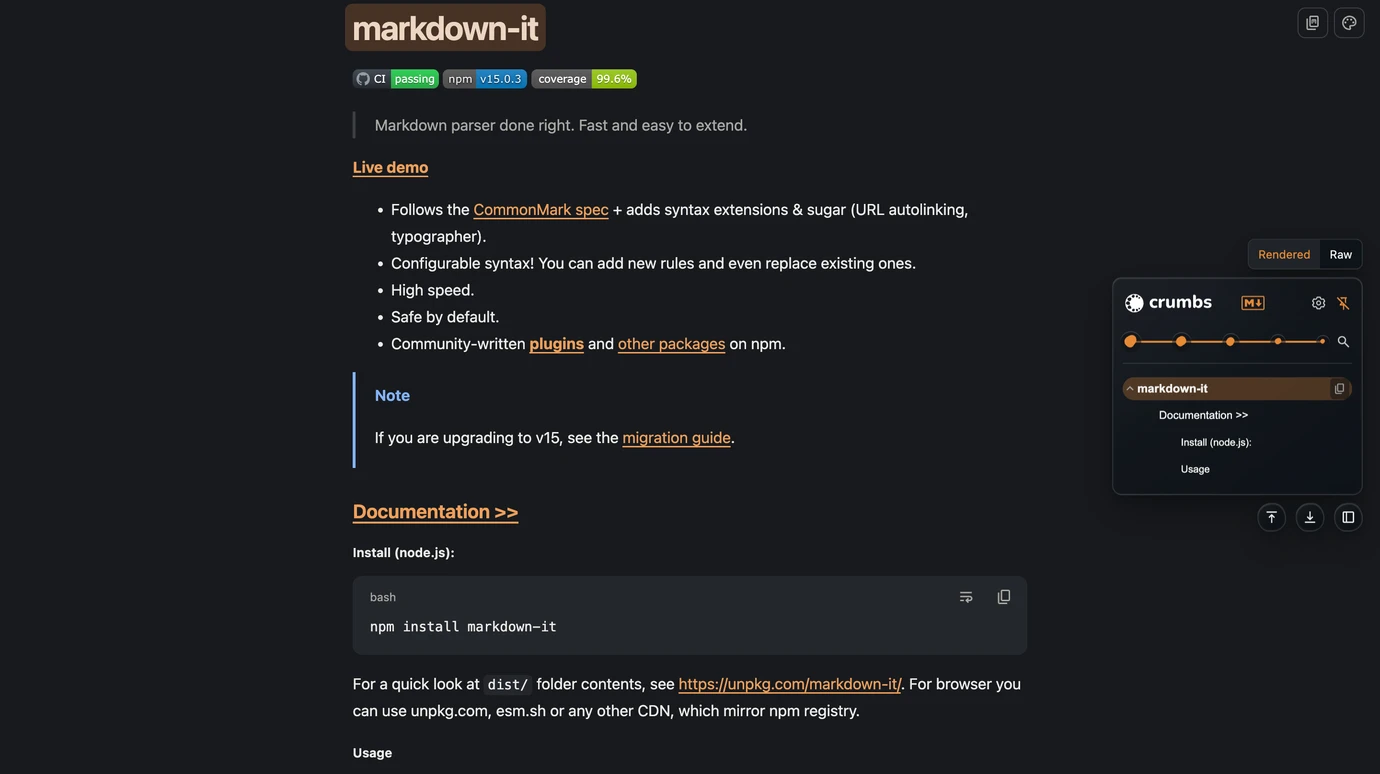
Readable when you want it. Raw when you need it.
Open standalone Markdown from the web or from local files, then move between a calm rendered document and its original source.
- Built for real documents.Read common Markdown plus GitHub-Flavored Markdown features such as tables, task lists, strikethrough, autolinks, and alerts.
- Diagrams stay useful.Mermaid diagrams include zoom, pan, reset, and source-copy controls.
- Code remains practical.Syntax-highlighted code blocks include quick copy and per-block line wrapping.
- Local files are supported.Enable local Markdown in Crumbs and grant Chrome file access once; the document itself remains on your device.
04Explore JSON
See the structure before the noise.
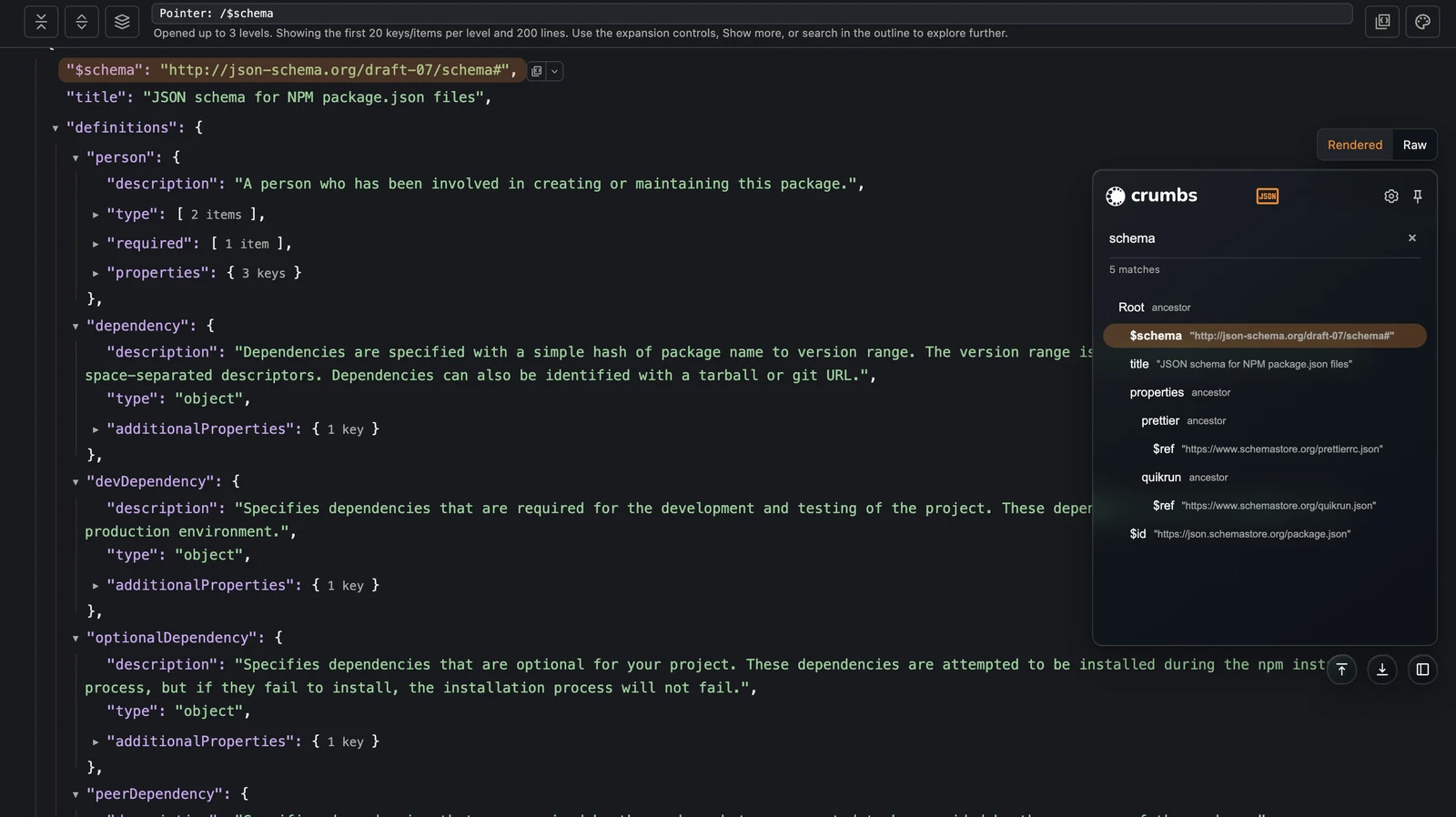
Turn standalone JSON responses into a collapsible tree, then search and copy the exact field you need without leaving the tab.
- Rendered or source-faithful Raw.Explore nested objects and arrays, or return to the original decoded response text at any time.
- Search the entire response.Find keys, values, or JSON Pointer paths—even inside collapsed and not-yet-mounted branches.
- Understand repeated records.Grouped fields summarize occurrences, types, and small distinct-value counts across arrays.
- Copy without changing the data.Copy raw JSON, exact values, properties, JSON Pointers, or JSONPath-style locations without rounding large integers.
- Stay responsive on large documents.Collections load progressively. Set the initial expansion depth and choose a modifier to expand branches within rendering limits.
05Make it yours
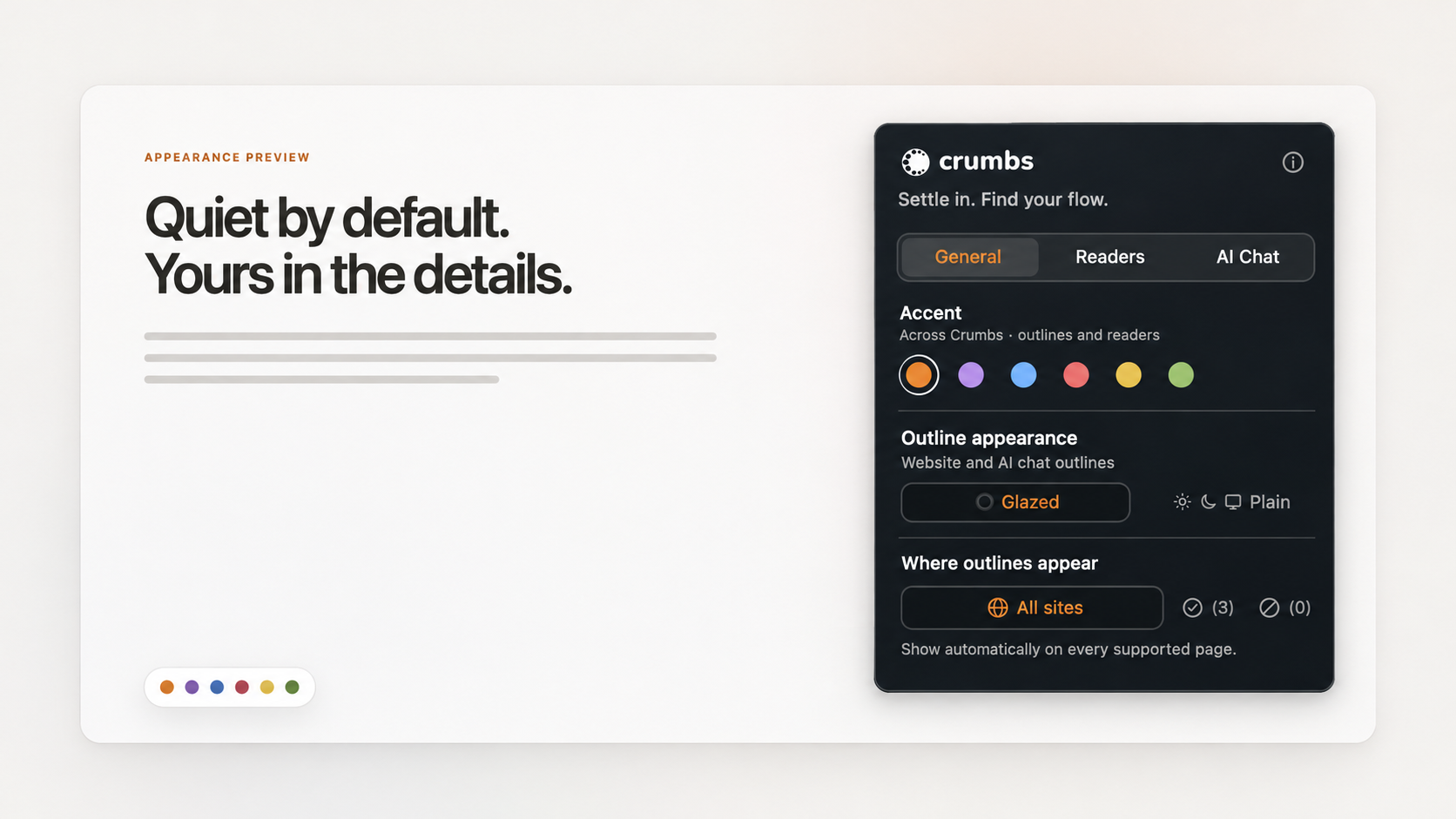
Blend into the page—or hold a clear edge.
The interaction stays consistent while the surface adapts to the kind of page you are reading.
- Glazed adapts.Its translucent, glass-like surface samples the page behind it and adjusts its tint and light or dark treatment automatically.
- Plain stays solid.Choose a solid Light, Dark, or System appearance for stronger separation from the page.
- Add one quiet accent.Choose Toast, Ube, Blueberry, Velvet, Custard, or Matcha across the outline, settings, and destination highlights.
- Keep only useful controls nearby.Dock left or right and independently show or hide the Top, Bottom, and Dock quick buttons.
Privacy by design
Your reading stays on your device.
Crumbs processes page headings, ChatGPT conversations, and eligible Markdown and JSON locally. It has no account system, analytics, advertising, telemetry, or developer-operated backend.
Read the full privacy policy- 01No account required
There is no Crumbs profile to create or maintain.
- 02Preferences stay local
Appearance, shortcuts, rules, and reader settings use Chrome's local extension storage.
- 03No page-content backend
Crumbs does not transmit handled page content or saved preferences to the developer.
Good to know
Questions, answered.
What kinds of pages does Crumbs support?
Crumbs outlines supported web pages with meaningful headings and conversations on ChatGPT. It also provides reading views for eligible standalone Markdown and JSON. Chrome blocks extensions on protected pages such as the Chrome Web Store and chrome:// pages.
Is Crumbs free?
Yes. Crumbs is free at launch. We plan to keep the core features free and may introduce a paid Pro plan for additional features later.
Can it read local Markdown and JSON files?
Yes. Enable the matching local-file switch under Readers in Crumbs settings and grant Chrome’s Allow access to file URLs permission. Refresh the file after changing these settings.
Does Crumbs save document contents?
Crumbs does not save page content, ChatGPT message text, or Markdown and JSON contents. It can remember preferences such as a document’s Raw-view choice. If approximate question times are enabled, Crumbs can save question identifiers and timestamps locally.
Where can I install it?
Already using Crumbs?